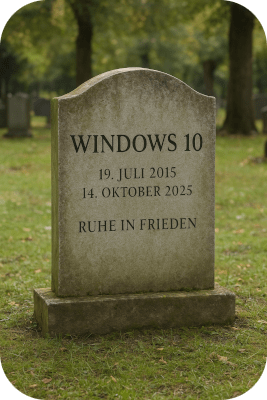
 Originally, I wanted to show how easily a Linux installation works, even on older PCs. My wife's school switched to Linux back in 2008, and Windows computers have since completely disappeared from our household as well.
The computer I am currently sitting at used to run extremely slowly under Windows. The fan roared like a moped, videos stuttered, and even scrolling in the browser was almost unbearable. Yet the technical specifications – Octacore with 3.8 GHz and 16 GB RAM – are actually more than sufficient, as long as no demanding games are running. Everything changed after installing Linux Mint: The computer has been working reliably for years; I have only replaced the motherboard in the meantime. However, the processor and RAM are still doing their job without complaint after six years – and hopefully, it stays that way for a while.
Meanwhile, Windows delights its users with forced updates and systematically excludes older hardware.
Installation and Operation
Nowadays, installing Linux is no longer rocket science. The user interface is graphical, and the terminal only rarely needs to be used. It used to be different, which deterred many potential switchers in the past.
Potential Stumbling Blocks
Nevertheless, there are some hurdles. Wi-Fi sticks can be problematic because they often contain Realtek chips for which no official Linux drivers are provided. It is then not always easy to find out which chip was built in to install the appropriate driver. Sometimes everything works immediately – but there is no guarantee.
The same applies to graphics cards, especially if they come from NVIDIA or use their chips. Drivers are usually available after a few months and can be installed without problems, but things can be a bit bumpy right at the market launch.
Variety of Distributions
With the sheer number of Linux distributions, it’s easy to lose track. Many are based on Debian and differ mainly in appearance and pre-installed software. My personal experience is primarily with Linux Mint, which is based on Debian and Ubuntu. It is resource-efficient, well-suited for older systems, and its operation strongly resembles Windows. This makes the transition particularly easy – so much so that my wife only noticed after years that she was actually working with Linux.
You can find an overview of popular distributions here: geekflare.com
This video is also worth watching:
Windows in Comparison
Since Microsoft is ending support for Windows 10 and Windows 11 only runs on newer hardware, many users face an uncomfortable choice: either take the security risk and stay with Windows 10, or purchase new hardware along with a license. In this situation, you should at least consider switching to Linux.
A Special Case from Practice
However, it doesn't always go without problems. A neighbor asked me to install Linux on his older laptop – a Lenovo Miix 310, originally intended for Windows 7. This device is a special case: it has a 32-bit UEFI firmware, even though the built-in Atom processor is 64-bit capable. Additionally, it is technically a tablet with a keyboard. Although I have successfully installed Linux over a hundred times, I encountered hurdles here that a beginner could hardly overcome. Ironically, the Linux Live USB stick initially worked perfectly.
Conclusion
As a rule, the switch to Linux goes smoothly. Over 50,000 programs are available for free and can be easily installed via package sources or Flatpak. You can find an overview here: flathub.org. Furthermore, security is a top priority in the Linux environment.
Nevertheless, I cannot guarantee that every system will run without issues. Therefore, before an installation, it is advisable to check compatibility online or with the help of an AI.